
Introduction
Artificial Intelligence has become the new backbone of modern business.
From streamlining workflows to automating customer interactions and generating real-time insights, AI tools are now essential for staying competitive. But with thousands of platforms flooding the market — from ChatGPT-powered systems to AI-driven CRMs — most business owners face the same challenge:
👉 Which AI tools are actually right for my company?
Choosing the wrong tools can waste time, create inefficiencies, and even confuse your team. On the other hand, the right AI stack can revolutionize your operations, boost ROI, and scale your business faster than ever before.
At InnovaByte AI, we help companies identify, integrate, and manage AI systems that align with their exact needs and goals — no fluff, just results.
In this guide, we’ll break down the exact process of choosing the right AI tools for your company — from defining goals to evaluating performance, so you can make smarter, more strategic decisions.
Why Choosing the Right AI Tools Matters
AI is a powerful amplifier — it multiplies the effectiveness of your existing systems. But if you choose tools that don’t align with your goals, processes, or team capabilities, you risk creating complexity instead of efficiency.
Here’s what’s at stake:
✅ Productivity: The right AI tool can automate up to 40% of repetitive work.
✅ Cost Savings: AI reduces labor costs by optimizing tasks and minimizing errors.
✅ Scalability: Once set up, AI systems scale with your company — without hiring more people.
✅ Customer Satisfaction: Smarter automation = faster response times and better experiences.
The difference between a good AI strategy and a great one often comes down to choosing the right tools for the right purpose.
1️⃣ Identify Your Core Business Needs
Before you explore tools, take a step back and ask:
“What are the biggest bottlenecks in my current process?”
You don’t need AI for everything. You need it where it has maximum impact.
Ask These Questions:
- Which processes take too much manual time?
- What data do we collect but fail to analyze?
- Where are human errors most common?
- Which parts of our workflow can be automated safely?
✅ Example:
- A real estate agency might need AI for lead scoring and customer chat support.
- A marketing firm might need AI for content creation and data insights.
- A retailer might need AI for inventory forecasting and fraud prevention.
Once you identify your high-impact areas, you’ll know exactly where to focus your AI investment.
💡 Pro Tip:
Start small — automate one workflow at a time. Early success builds momentum for bigger adoption.
2️⃣ Understand the Main Categories of AI Tools
AI isn’t one-size-fits-all. Tools fall into categories based on the problems they solve.
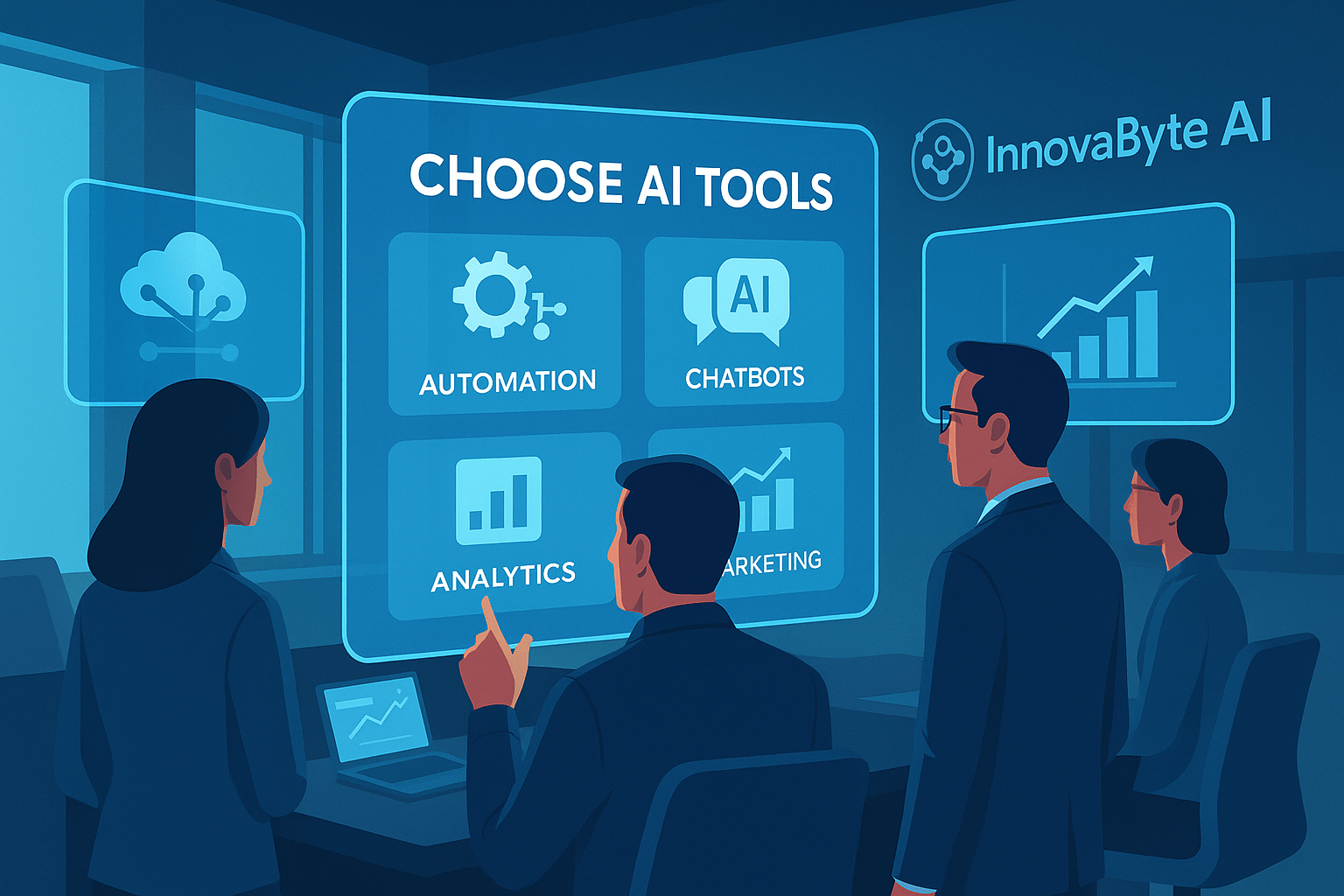
Here are the main types of AI tools companies use today:
a) Automation and Workflow Tools
Used to eliminate repetitive tasks and manual processes.
Examples: Zapier, Make (Integromat), UiPath, Microsoft Power Automate.
b) AI Communication and Chatbots
Used for customer support, lead generation, and engagement.
Examples: ChatGPT, ManyChat, Tidio, Drift, Intercom.
c) AI Analytics and Insights
Helps you make data-driven decisions using predictive modeling and business intelligence.
Examples: Tableau AI, Power BI Copilot, Google Looker Studio, Zoho Analytics AI.
d) AI Marketing and Content Creation
Assists with SEO, social media, and ad optimization.
Examples: Jasper AI, Copy.ai, SurferSEO, Writesonic, MarketMuse.
e) AI Sales and CRM
Automates lead scoring, customer segmentation, and personalized outreach.
Examples: HubSpot AI, Salesforce Einstein, Pipedrive Smart CRM.
f) AI Design and Creativity
Simplifies branding, visuals, and UX/UI creation.
Examples: Midjourney, Canva Magic Studio, Runway ML, Adobe Firefly.
At InnovaByte AI, we often combine 3–4 of these categories into a single integrated system tailored for a client’s workflow — creating synergy across automation, analytics, and customer engagement.
3️⃣ Evaluate Ease of Integration
Even the most advanced AI tool is useless if it doesn’t fit into your existing ecosystem.
Before choosing a tool, check how well it integrates with your current stack — your CRM, email system, website, and internal apps.
Integration Checklist
✅ Does it connect with your CRM (like HubSpot, Salesforce, or Zoho)?
✅ Does it support APIs or plugins for third-party apps?
✅ Can it automate tasks through Zapier or native integrations?
✅ Does it sync data in real time without duplicates?
Example
A digital agency uses WordPress, Gmail, and Slack. Instead of introducing a new standalone AI dashboard, they integrated ChatGPT through Zapier to automatically summarize client emails and post summaries directly into Slack.
The result?
Faster responses, better collaboration, and zero platform switching.
💡 Pro Tip:
Look for open APIs and cloud-based systems — they’re easier to scale and customize.
4️⃣ Check for Scalability and Long-Term Viability
AI technology evolves at lightning speed.
You don’t want to pick a trendy tool that becomes obsolete in a year.
When evaluating options, consider:
✅ How frequently the tool updates or adds features.
✅ Whether it supports enterprise-level growth.
✅ How it handles increased user traffic or data volume.
✅ If the company has a clear roadmap or active support team.
Example
A SaaS company initially used a small AI chatbot startup that later shut down. They had to rebuild their bot from scratch. Lesson learned: always choose established or well-supported tools that can grow with your company.
💡 Pro Tip:
Before committing, check public reviews on G2, Capterra, or Product Hunt to assess reliability and longevity.
5️⃣ Analyze Data Privacy and Security
AI tools rely on massive amounts of data. That’s why security and privacy are critical.
When choosing any AI platform, make sure it complies with global standards like GDPR, CCPA, or ISO/IEC 27001.
Key Considerations:
- Where is your data stored (EU, US, or global servers)?
- Does the platform anonymize user data?
- Does it allow manual data deletion or export?
- Does it use encryption for data transmission?
Example
An HR agency using AI for recruitment faced a privacy issue when candidate data was unintentionally shared via an unencrypted API. After switching to a compliant AI recruiting system with built-in privacy controls, the issue was eliminated.
💡 Pro Tip:
Hire AI security consultants from Fiverr to perform a privacy audit on your AI stack. It’s an affordable and effective way to ensure compliance without hiring a full-time specialist.
6️⃣ Compare Pricing Models and ROI
AI tools vary widely in cost — from free freemium plans to enterprise licenses.
But don’t just look at price; look at value over time.
Common Pricing Models
- Subscription-Based (SaaS): Pay monthly or annually. (Example: Jasper AI, HubSpot)
- Usage-Based: Pay per API call or per user. (Example: OpenAI, AWS AI)
- Custom Enterprise Pricing: Based on scale and customization.
How to Calculate ROI
Ask:
- How much time or labor does this tool save monthly?
- How many new customers or leads can it help generate?
- Does it reduce other software or staffing costs?
✅ Example
A retail company replaced 3 tools (email, analytics, and scheduling) with a unified AI-powered CRM. The switch saved $1,200/month and increased lead response time by 45%.
💡 Pro Tip:
When in doubt, test 2–3 tools on short-term trials before making a long-term commitment.
7️⃣ Test User Experience (UX) and Team Adoption
Your AI tool is only as good as how well your team uses it.
If employees find it confusing, they’ll avoid it — leading to wasted subscriptions and stalled adoption.
How to Test UX:
- Try a free trial or sandbox mode before buying.
- Ask your team to perform 2–3 typical tasks with the tool.
- Gather feedback: Is it intuitive? Fast? Too complex?
Example
A customer support team tested three chatbot systems. The simplest, Tidio AI, had the fastest onboarding and highest adoption rate — even though it wasn’t the most feature-rich.
💡 Pro Tip:
When testing tools, involve both technical and non-technical staff to ensure universal usability.
8️⃣ Review Customer Support and Community
AI tools are constantly evolving — and so are their challenges. You’ll need reliable help when bugs or integration issues appear.
Before subscribing, check the support quality:
✅ Do they offer live chat or only ticket support?
✅ Is there a knowledge base or video tutorials?
✅ How active is the user community?
Example
A small marketing team chose a new AI copywriting tool but struggled to get customer support. After switching to Jasper AI, which has 24/7 live chat and a strong community, their onboarding and campaign output improved dramatically.
💡 Pro Tip:
Join communities on Reddit, Discord, or Facebook Groups for user tips and automation tricks — they’re goldmines of practical advice.
9️⃣ Plan for Ongoing Training and Upgrades
AI tools evolve fast. What’s powerful today may look outdated next quarter.
To stay ahead, invest in continuous training for your team.
✅ Encourage online courses or internal workshops.
✅ Subscribe to newsletters like AI Weekly or TechCrunch AI.
✅ Assign an “AI champion” internally to stay updated.
At InnovaByte AI, we help clients design scalable AI roadmaps — so they can continuously upgrade without disrupting existing workflows.
💡 Pro Tip:
You can also hire trainers or AI mentors on Fiverr to conduct short training sessions for your employees — especially helpful when onboarding new AI systems.
10️⃣ Track Performance and Optimize Continuously
Implementing AI isn’t a one-time task — it’s an ongoing optimization loop.
You need to measure, analyze, and refine the results regularly.
How to Track Success
- Set clear KPIs before implementation.
- Use analytics dashboards to monitor speed, accuracy, and cost efficiency.
- Collect team and customer feedback regularly.
- Revisit tool performance every 6 months.
Example
A logistics company using AI route optimization saved 22% in fuel costs during the first three months. By reviewing reports quarterly, they discovered new efficiency opportunities — ultimately saving an additional 10%.
💡 Pro Tip:
Treat AI like a living system — the more feedback you feed it, the smarter it becomes.
An Overview of What This Tip Is
Choosing the right AI tools isn’t just about technology — it’s about strategy and alignment.
The goal isn’t to buy what’s trendy; it’s to select tools that solve real problems and integrate seamlessly with your operations.
By analyzing your workflows, assessing integration potential, and prioritizing usability, your AI setup becomes a growth engine rather than a cost center.
At InnovaByte AI, we guide companies through this entire process — from discovery to deployment — ensuring each AI system drives measurable results.
A Clear Benefit
When you choose AI tools strategically, you’ll:
✅ Reduce operational costs and human error
✅ Improve productivity across departments
✅ Gain actionable insights faster
✅ Deliver consistent customer experiences
✅ Build long-term scalability with automation
Instead of chasing shiny new apps, you’ll build a customized AI ecosystem that grows with your business — and keeps you miles ahead of competitors.
Action Items
Here’s your AI Tool Selection Checklist for 2025:
1️⃣ Define your core goals and pain points.
2️⃣ Match goals to the right AI categories (automation, analytics, chatbots, etc.).
3️⃣ Evaluate integration with your current systems.
4️⃣ Check privacy, compliance, and data protection policies.
5️⃣ Compare pricing, ROI, and support plans.
6️⃣ Test tools with small pilot projects.
7️⃣ Train your team before full rollout.
8️⃣ Monitor KPIs and optimize every 3–6 months.
💡 Bonus: Create an AI Tool Matrix — a spreadsheet comparing 3–5 shortlisted options with columns for price, features, and ease of use. It’ll help visualize your decision.
The Future of AI Tools (2025–2030)
The next wave of AI will bring even more specialized and interoperable tools.
Expect:
🚀 AI Co-pilots integrated into every major software suite (like Microsoft Copilot, Google Duet AI, or Notion AI).
📊 Unified AI dashboards combining automation, analytics, and customer engagement in one platform.
💬 Voice-first AI interfaces replacing manual dashboards entirely.
🤖 Smarter multi-agent systems — AI tools communicating and coordinating tasks autonomously.
Companies that choose modular, flexible tools now will adapt faster as these innovations roll out — and lead their industries through the AI revolution.
Conclusion
Selecting the right AI tools for your company isn’t just about keeping up with technology — it’s about building a smarter, more efficient version of your business.
Start by identifying real needs, exploring relevant categories, and testing integrations before scaling.
At InnovaByte AI, we specialize in helping businesses make informed, data-driven choices when implementing AI — ensuring every tool delivers measurable impact.
And if you need quick, reliable support for setup or automation, Fiverr’s top-rated AI freelancers are an excellent resource to get started affordably.
Because in 2025, success doesn’t depend on how many AI tools you use — but how wisely you choose them.